Factory planning for Satisfactory
Stop guessing.
Simulate your factory.
Model production chains, trace bottlenecks instantly, and let AI plan entire factory floors for you — before you place a single foundation.
New to factory planning? Try the free Satisfactory tutorial — no game installation needed.
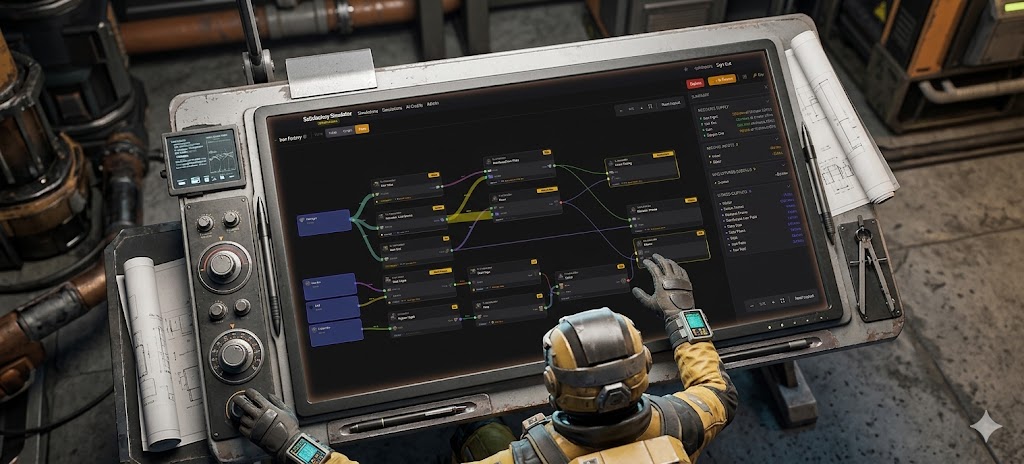
Three different views
Multiple ways to view and manage your simulation.
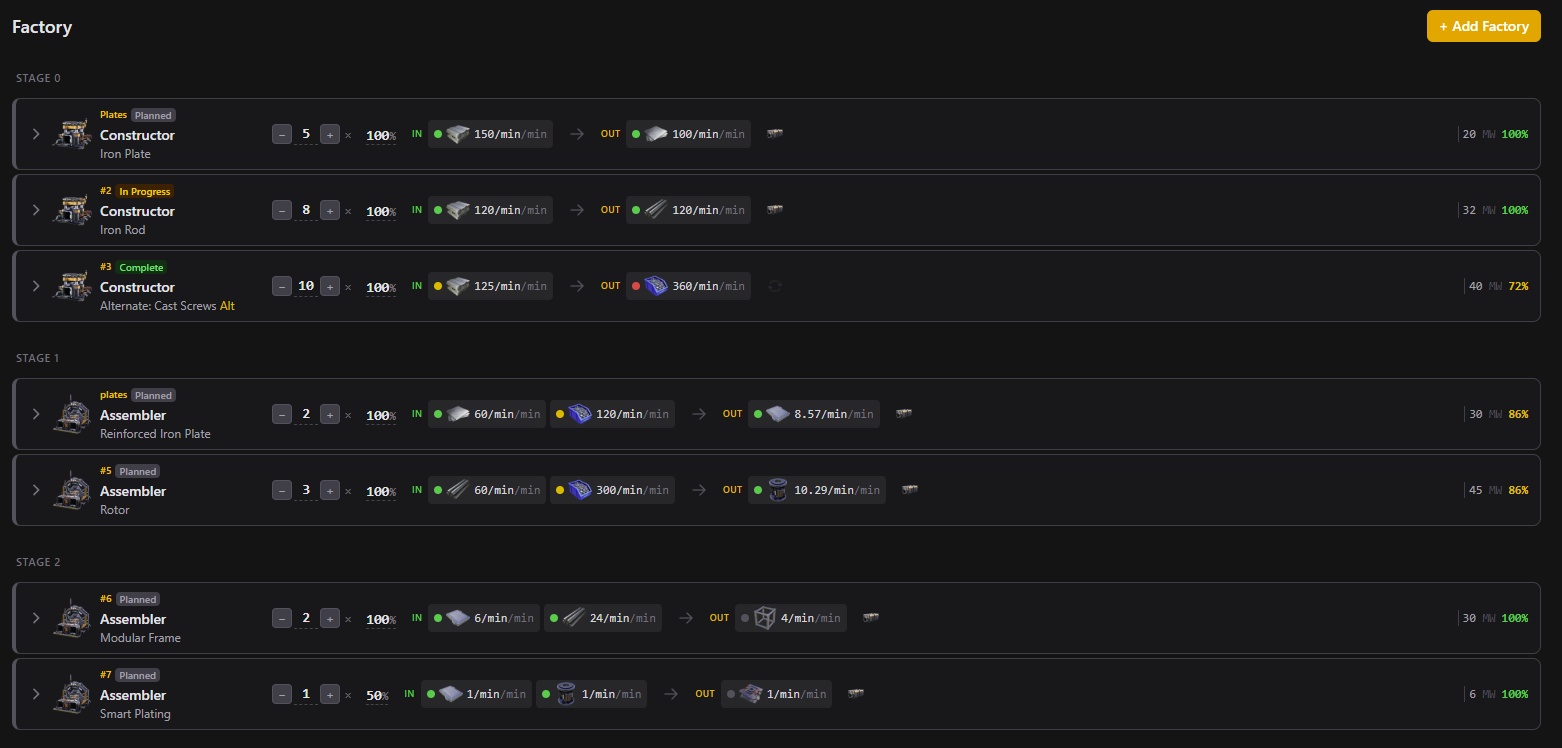
List View
See every building, input rate, and output rate in a structured list. Color-coded indicators show you exactly where things break down.
- Green/amber/red dots on every input and output show satisfaction at a glance
- Expand any row to see full I/O details, link suppliers, and adjust settings
- Click any item to jump straight to the factory that produces or consumes it
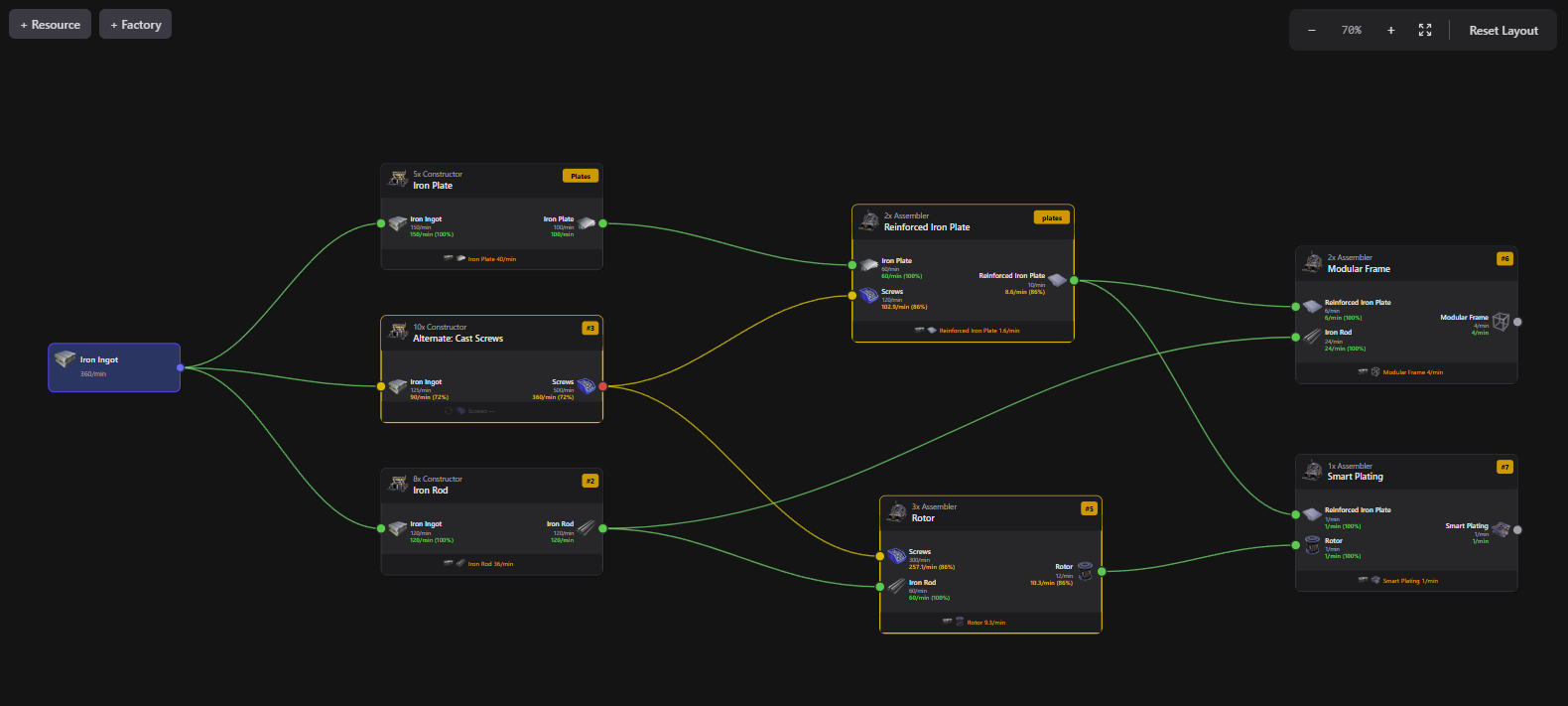
Graph View
Drag and drop buildings on an interactive canvas. Draw connections between factories and see the full production chain at once.
- Drag nodes to arrange your layout however you like, positions are saved
- Draw links from outputs to inputs by clicking ports — no manual rate calculations
- Click any node to open the properties panel with full editing controls
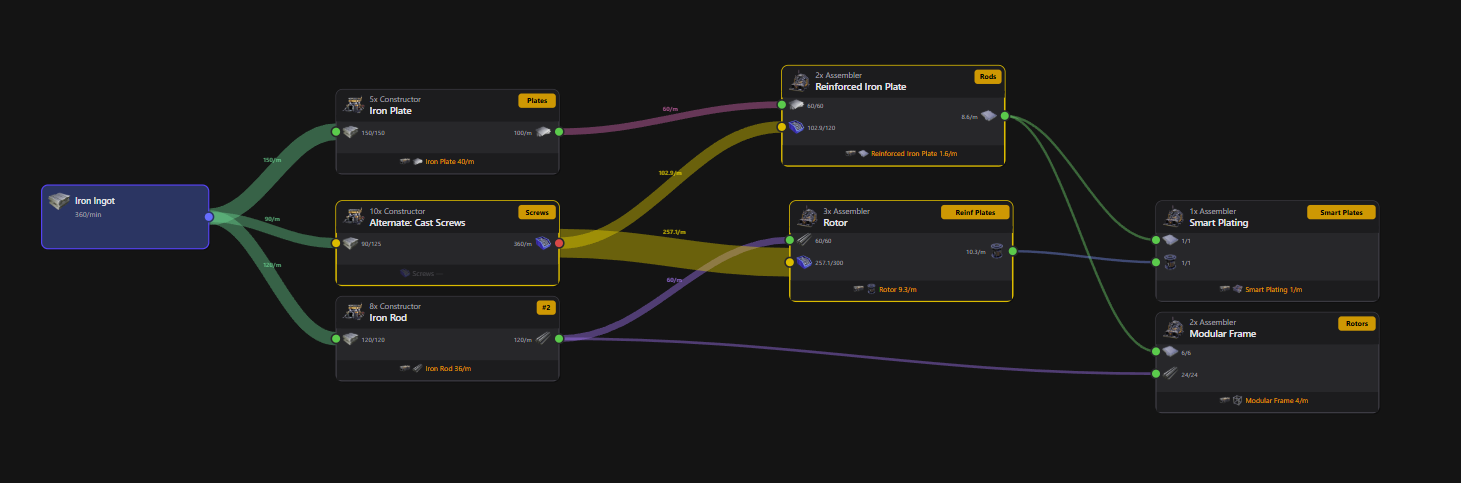
Flow View
A Sankey-style diagram showing how items flow through your entire factory, with proportional flow bands and automatic tier-based layout.
- Flow band width shows actual throughput — thicker bands = more items/min
- Drag nodes to rearrange, or hit Reset Layout for automatic positioning
- Color-coded ports match the table and graph views for consistent status reading
Not another ratio calculator
Most Satisfactory tools calculate ideal ratios. This one simulates your actual factory.
Real flow simulation
Supply is distributed proportionally across consumers. When Iron Ore is split between three smelters, you see exactly what each one gets.
Bottleneck detection at a glance
Every input and output gets a color indicator. Green = satisfied, amber = partial, red = starved. No math needed — just look for the dots.
Click to trace
Click any input item to jump to its supplier. Follow a production chain from raw ore to final product in seconds, across any view.
AI that reads your factory
The AI sees your existing buildings, understands connections, and proposes changes that fit. Review the diff, accept or reject — nothing changes until you say so.
Up and running in minutes
Add your resource sources
Drop in Iron Ore, Copper Ore, Limestone — whatever your factory consumes. Set supply rates to match your actual node purity, or leave them unlimited.
Build your production chain
Add smelters, constructors, assemblers — pick the recipe and building count. Or tell the AI what you want to produce and let it figure out the chain.
Link everything together
Connect outputs to inputs. The flow engine instantly calculates actual throughput, distributes supply across consumers, and flags bottlenecks.
Build it for real
When every indicator is green, you know the design works. Open Satisfactory and build exactly what you planned — no wasted materials, no teardowns.
AI-assisted factory building
NewTell the AI what you want to produce. It reads your existing factory, adds buildings, links them up, and shows you a diff before applying — you stay in control.
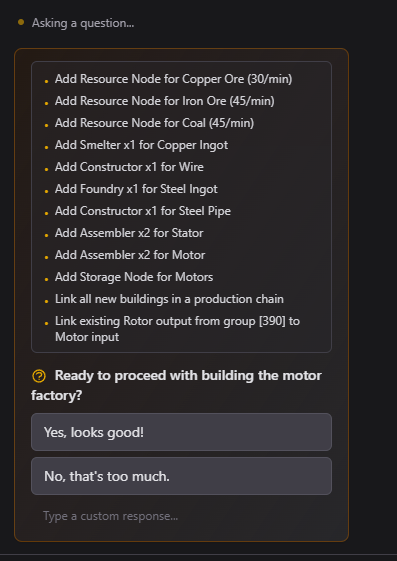
Describe what you want
Describe your target and any limits. AI works in a draft that you review before applying.
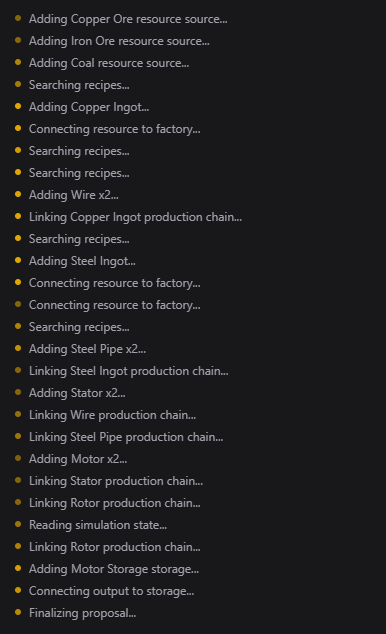
Watch it build
The AI adds factories, connects inputs to outputs, streaming progress live.
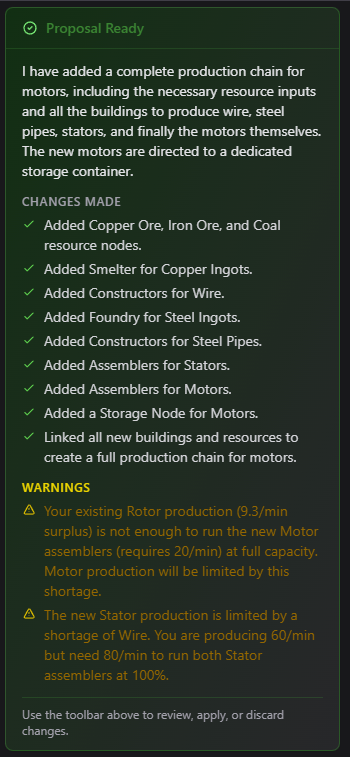
Review proposal
The AI summarizes every change it made for you to review.
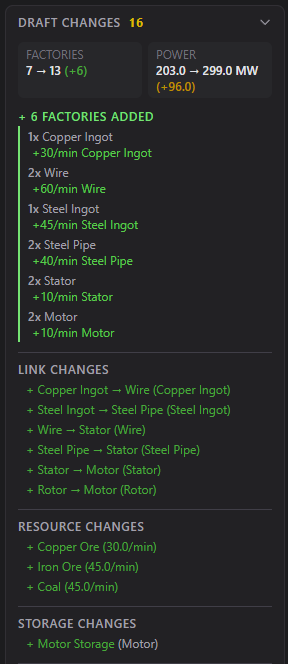
Apply or discard
See the full diff — factories, links, resources. Apply to your factory or try again.
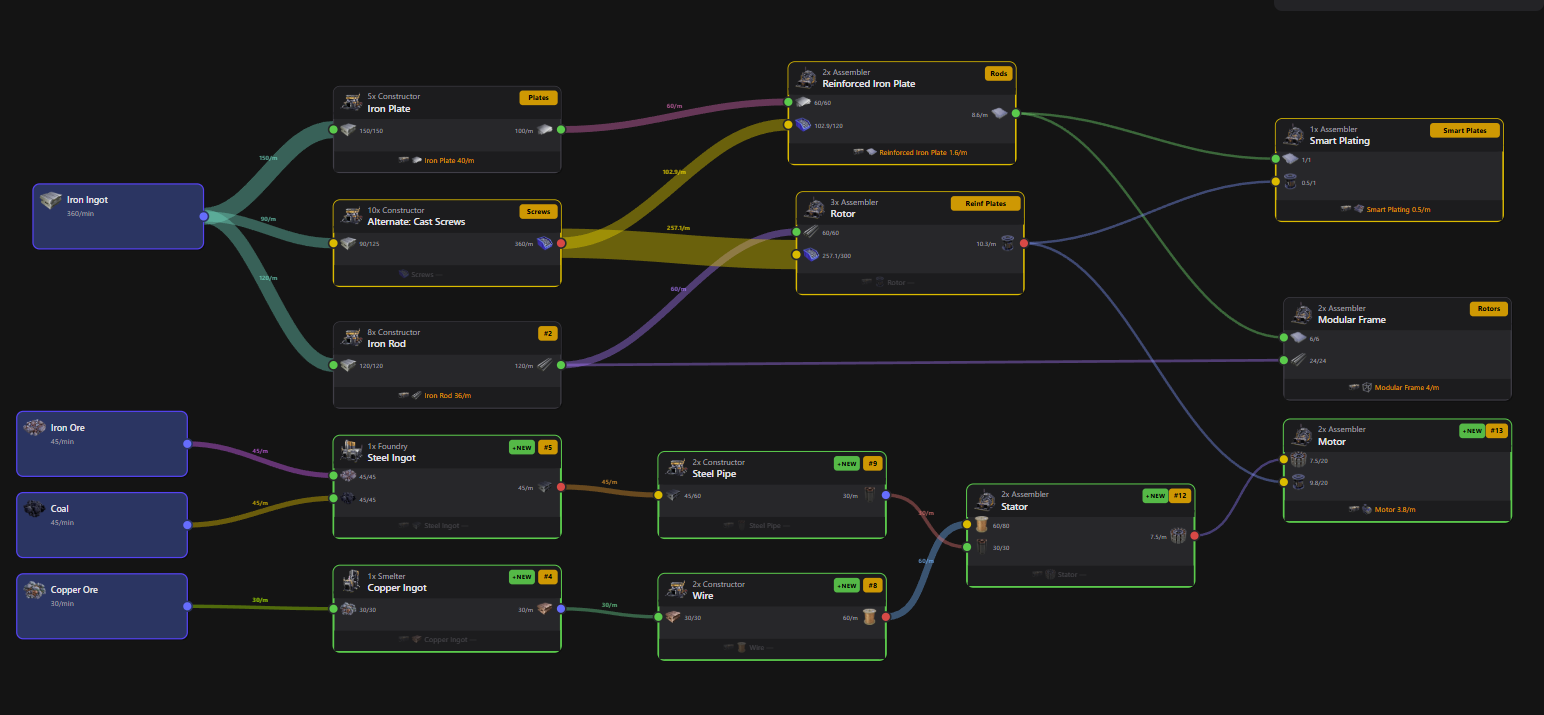
The finished result — a complete Motor production chain built by the AI, ready to apply.
Plan first, build once
Free to use. Runs in your browser. Supports every recipe and alt recipe in the game.
All 720 game items · 858 recipes · 26 buildings · Updated for Satisfactory 1.0